omnicus.github.io
How to enable and use the Shopify integration
Like other integrations, you need to be an admin in order to enable the Shopify integration.
The Shopify integration allows you to display information about your customers when it’s available in Shopify.
Omnicus can be setup to replicate customer data from your Shopify account. Omnicus gathers the following data;
- Email (unique ID)
- Mobile
- Phone
- First Name
- Last Name
Step 1
Create a API token on your shopify account. Documentation from Shopify can be found here;
Excerpt:
You can obtain an access token either by creating a private app and using that app’s API key, or following the OAuth authorization process.
Private App To get the access token:
- From your Shopify admin, select Apps.
- Click Manage private apps.
- Click Create a new private app.
- Fill out the details of your private app.
- Click Save.
- Use the newly generated Password as the access token.
Step 2
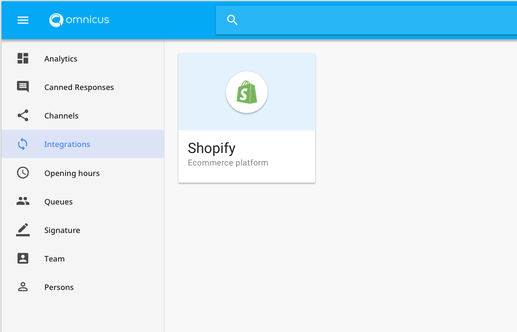
Head over to your Omnicus admin page for your account;
https://< your-domain >.omnicus.com/admin
Go to “Integrations” and click on Shopify
Step 3
Retrieve your Store Domain, and API Password by logging in to the Shopify website.
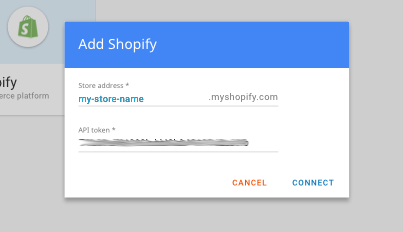
The Store Domain can be found in your store’s admin URL that comes before .myshopify.com.
Step 4
Copy and paste the store domain into Omnicus
Step 5
Copy and paste the API Password into Omnicus.
Step 6
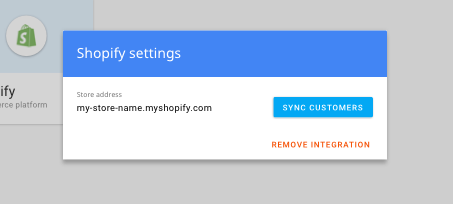
Click “Sync Customers” to replicate customers from Shopify into Omnicus.